
You can now enable API access directly from your easyDNS account. The easyDNS API lets you automate DNS updates and integrate DNS management into your own tools and workflows. Follow the steps below to get started.
1.Log into your easyDNS account.
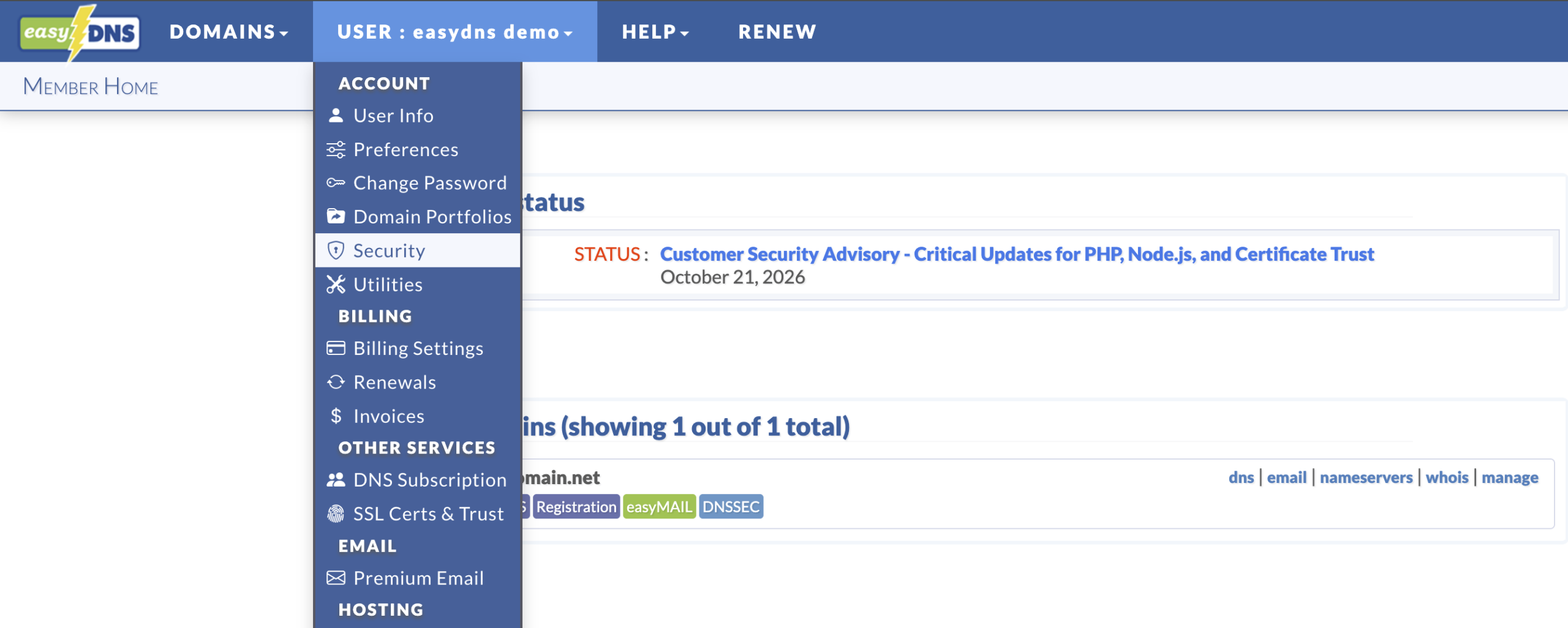
2. Under the USER heading, click on SECURITY.
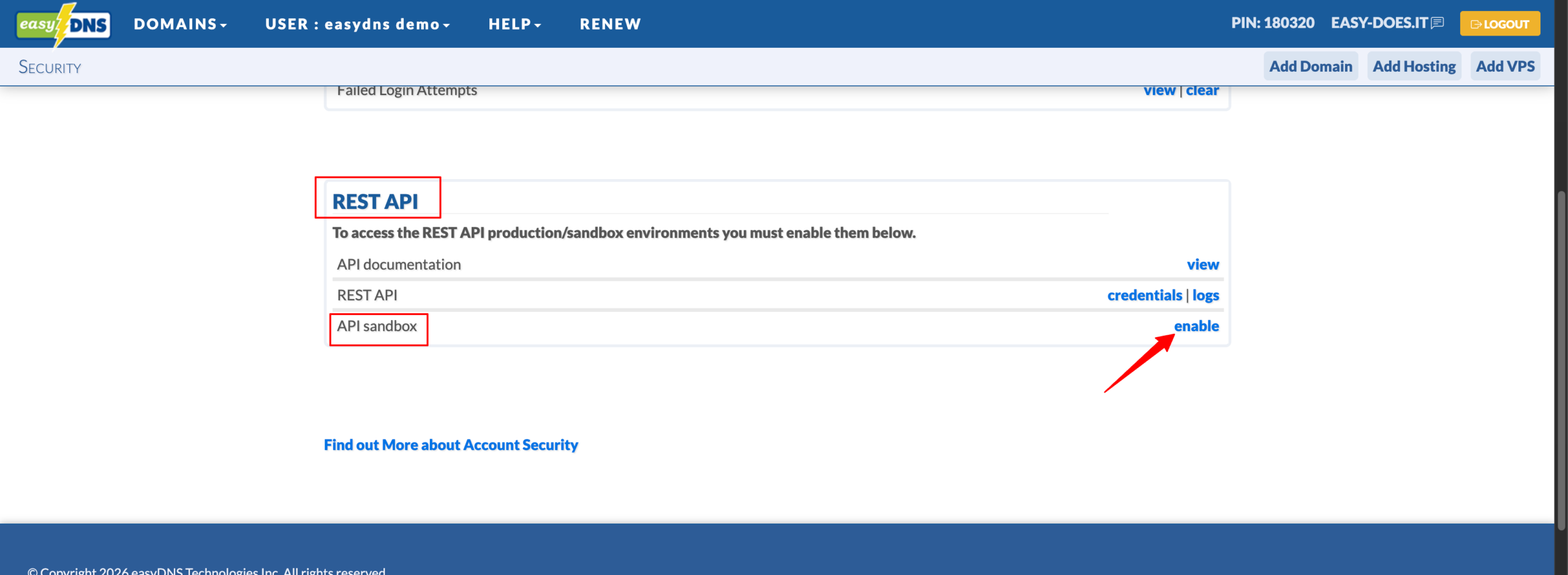
3. Scroll down to the REST API section and click on ENABLE for your API SANDBOX.
Your control panel should now look like the following:
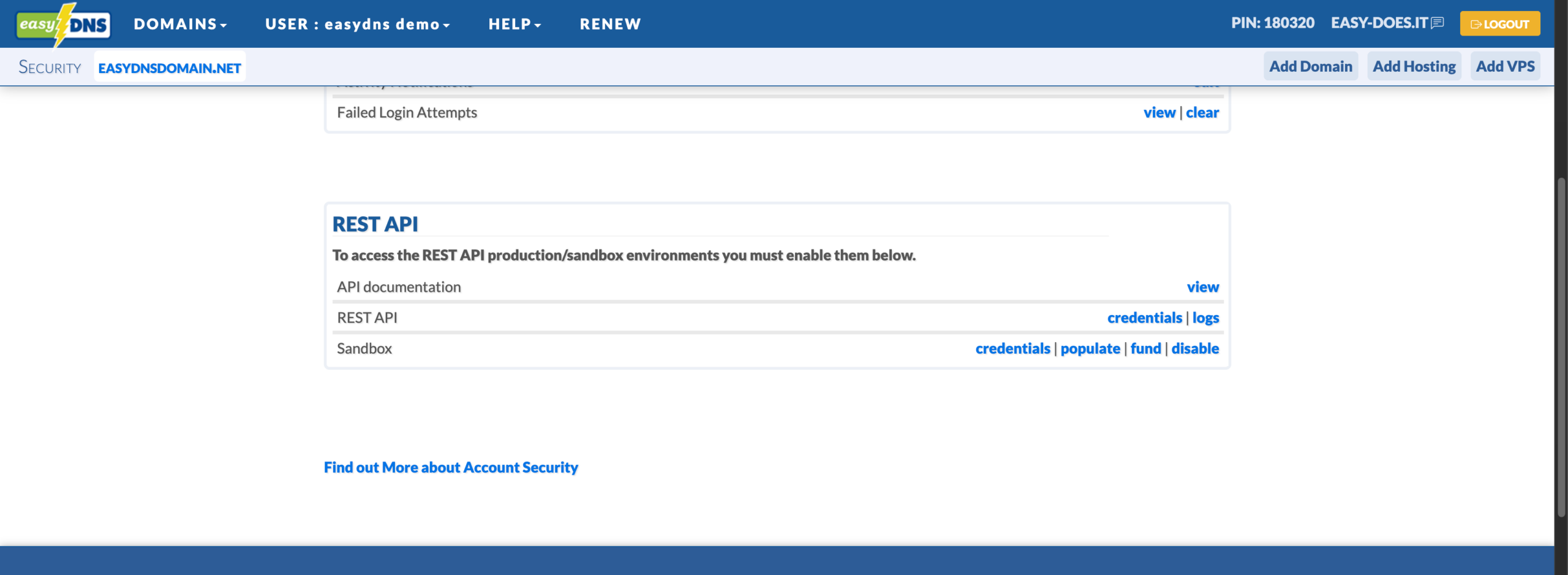
API DOCUMENTATION
- View
We now provide interactive API documentation using the Swagger UI (based on the OpenAPI 3.0 specification). This interface also lets you make test calls directly to the production and sandbox environments right from your browser (after authenticating with your credentials).
REST API
- Credentials
On this page you can find the credentials you can use to access the easyDNS API production environment. Note that the credentials here are for the easyDNS API production environment and will not work in the sandbox environment. - Logs
This utility allows you to monitor the requests made to the production API for any credentials under your account. As new requests are made they will show up on this page when it refreshes.
SANDBOX
- Credentials
On this page you can find the credentials you can use to access the easyDNS API sandbox environment and statistics on the current state of the sandbox in comparison with the live environment.
If you are looking to manage or create a set of production credentials you can do so on the production credentials page. Credentials on this page are only usable in the sandbox environment and will not work to authenticate with the production REST API. - Populate
To repopulate the API sandbox for this account. - Fund
This page can be used to add funds to your account for the purpose of purchasing new domains and services through the REST API in the sandbox environment. You MUST have access to the sandbox environment of the REST API to perform these actions. - Disable
This will disable the REST API sandbox environment.
Important Notes on Using the API
- All requests must include a valid User-Agent header (e.g., identifying your application or library). Requests without a User-Agent header will be blocked.
- Many open-source libraries and tools refer to these credentials as “User” (which should be the Token) and “Password” (which should be the Key). Do not enter your easyDNS Caprica control panel username in the “User” field, and do not use your account password anywhere – these are not the same as the API Token and Key. Using incorrect values in these fields will always fail authentication.
- Open-source tools that require validation of DNS record creation (such as ACME.sh/certbot/etc)will not work with the sandbox environment.